


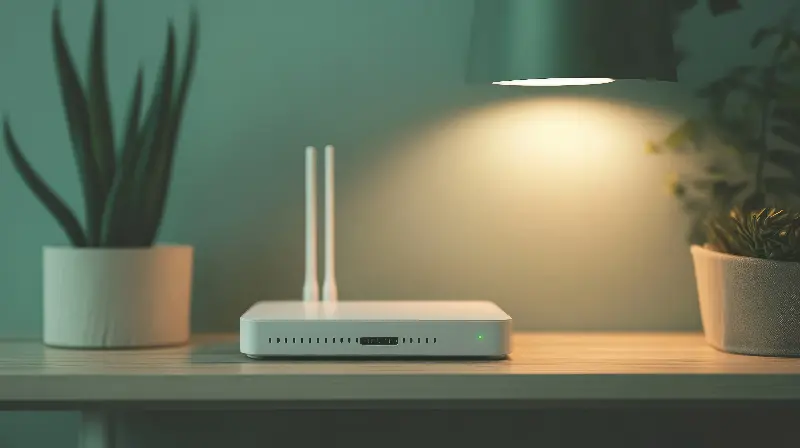
In a perfect world, your Wi-Fi would be like a loyal companion—steady, reliable, and always there when you need it. But ask anyone, and they’ll tell you: sometimes Wi-Fi is more like a moody cat, fast one minute and sluggish the next, even while you’re sitting still at your desk. What’s behind these digital mood swings? The story is more surprising than you might think.
The Wild Life Of Radio Waves
Your Wi-Fi doesn’t travel on magical beams. It communicates via radio waves, just like your favorite FM station, but at much higher frequencies. These waves are invisible, bouncing and bending through your walls, appliances, and even the air you breathe. When everything is clear, Wi-Fi is fast and happy. However, add a microwave oven running or a thick wall between you and your router, and things quickly change.
Even when you don’t move, your environment does. For instance, someone walking between you and your router can cause slight, temporary interruptions or slowdowns. The warmth from bodies and the water vapor in the air can absorb Wi-Fi signals. Even simple things, like closing a door or opening a window, can subtly affect the strength of your connection. Sometimes, you’re sitting still, but the waves around you are facing unexpected obstacles.
The Battle For Bandwidth
Another twist in the Wi-Fi saga is the battle your devices fight for bandwidth. Wi-Fi is a bit like a busy road: the more cars (devices) trying to get through, the slower everyone moves. When your phone, tablet, gaming console, smart TV, and your roommate’s laptop are all online, they’re actually sharing the same data highway. If one decides to start a big download—or maybe someone starts a video call in another room—your own speed can suffer, sometimes for seconds, sometimes for minutes.
This happens even in seemingly peaceful moments. Apps running in the background might be updating themselves, cloud services may be uploading files, or smart home devices could be running checks. All of these digital activities grab a piece of the bandwidth pie. You might be sitting still, but your devices are constantly busy.

Wi-Fi Channels: The Silent Interference
Most people don’t realize that their Wi-Fi router broadcasts on a particular channel, just like a walkie-talkie. When you live in a crowded area—an apartment building, for example—dozens of routers can be broadcasting on the same or overlapping channels. This causes interference, which slows everyone’s connection.
This interference isn’t always static; it ebbs and flows as neighbors come home, turn on their Wi-Fi, or start streaming movies. Your own speed can change second by second, depending on the channel congestion. Sometimes, switching to a less crowded channel can make a difference, but most people never tweak these settings.
Automatic Speed Adjustments: Smarter Than You Think
Modern Wi-Fi routers are more intelligent than ever. If they sense interference, they might automatically change channels or adjust their power output. If there’s a burst of activity, such as multiple video streams in your household, the router constantly recalculates who gets how much speed.
Your devices also play a role. Many of today’s phones, tablets, and laptops are built to manage power efficiently. If your device senses that you’re not actively using the internet, it might quietly reduce the Wi-Fi speed to save battery. When you jump back into action, there’s sometimes a momentary lag as your device ramps things back up.
What’s more, many Wi-Fi systems use a process called "band steering," which shifts devices between frequency bands (such as 2.4 GHz and 5 GHz) depending on congestion and signal quality. These changes happen automatically, sometimes even while you’re just scrolling through your feed, causing momentary speed shifts you might notice.

The Influence Of The Internet Itself
There’s another piece to the puzzle that’s easy to forget—the internet connection coming into your home. Even if your local Wi-Fi is flawless, your provider might be experiencing slowdowns, particularly during peak hours like early evenings when everyone is streaming or video chatting.
And then there’s the wider internet. The servers hosting your favorite websites or video streams can become overwhelmed. If your connection suddenly slows down, the culprit could be thousands of miles away.
The Hardware Factor: Age Isn’t Always Just A Number
If you’re using an old router or device, don’t be surprised by inconsistent speeds. Wi-Fi standards have improved dramatically over the years, with newer devices handling interference and congestion much better. Older hardware might be limited in how fast it can communicate or how many devices it can efficiently manage at once. Sometimes, upgrading your router or making sure your device drivers are up to date can make a noticeable difference in speed stability.
People are often amazed that something as simple as flipping your router’s position or lifting it off the ground can impact speeds. Placing a router in a central, elevated position with as few obstacles as possible can help maintain more consistent connections.

A Surprising Reality: Wi-Fi Is Never Quite Still
In the end, even when you stay perfectly still, your Wi-Fi environment is in constant motion. From invisible radio waves dancing through moving air, to digital battles between devices and fluctuations out on the broader internet, speed changes are an inevitable part of wireless life.
While it may be impossible to control every variable, understanding the invisible factors at play can help you make smarter choices—from where you sit to how you set up your devices. So next time you notice your Wi-Fi speeding up or slowing down without warning, remember: you’re experiencing the wild, ever-shifting world of wireless technology at work.