


Smartphones have become our daily essentials, serving as everything from alarm clock to entertainment center, fitness tracker to home office. With so much riding on your device, maximizing its lifespan and maintaining that snappy performance feels less like an option and more like a mission. Whether you’re keen to get the best value out of your investment, or simply want your phone to feel “like new” for as long as possible, here are simple yet remarkable maintenance strategies that really work.

Declutter Your Digital Space
Clutter slows everyone down—your smartphone included. Over time, unused apps, forgotten downloads, and overflowing photo galleries eat up precious storage and sap processing power. Regularly auditing your app list is a simple habit that delivers huge returns. Start by uninstalling or disabling apps you haven’t accessed in the last month. Your phone’s settings menu usually offers a sorting tool to pinpoint the culprits.
In your photo gallery, take advantage of cloud storage services such as Google Photos or iCloud. Storing your pictures and videos off-device not only protects precious memories but also lightens the memory load, helping your phone respond faster. Be sure to clear the cache in both your browser and apps—these data fragments accumulate quickly and can be wiped in seconds, providing an instant speed boost.
Optimize Battery Health Without Sacrifice
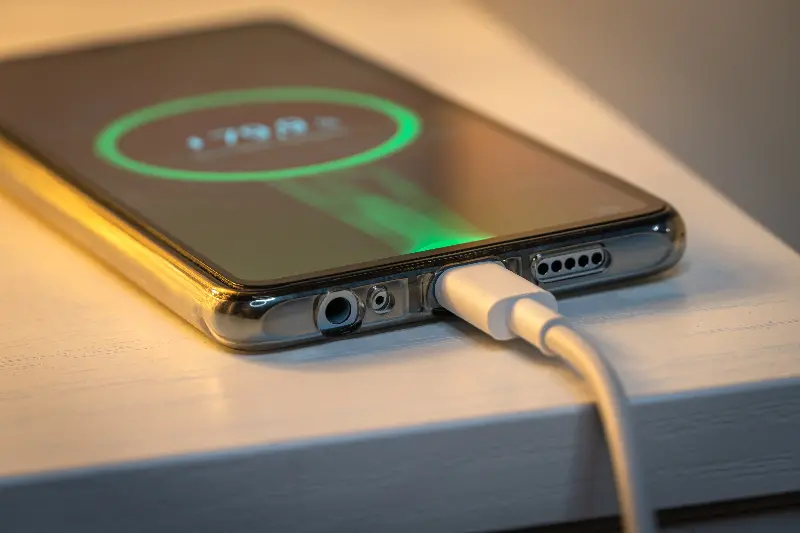
Battery performance naturally declines with age, but smart habits can dramatically slow this process. It’s tempting to charge overnight, but most modern phones don’t need it. Lithium-ion batteries last longest when kept between 20% and 80% charge. Plug in before your battery hits rock bottom and unplug before it’s absolutely full.
Heat is another battery’s nemesis. Exposure to high temperatures can prematurely age your phone hardware and shrink total battery life. Avoid leaving your smartphone on car dashboards or directly in the sun, and remove thick cases when charging, especially if your device feels hot to the touch.
Your phone comes equipped with built-in battery optimization settings—don’t overlook them. Both Android and iOS offer “low power” modes that reduce background activity, tweak performance, and extend time between charges when you need it most.
Keep Your Phone Physically Clean
It might seem basic, but keeping your device clean pays off. Dust, lint, and grime can block ports and clog speakers, leading to audio issues and charging headaches. Make it a habit to wipe your phone down with a soft microfiber cloth. For more stubborn gunk, a cotton swab slightly dampened with isopropyl alcohol can reach into the corners—just keep the liquid away from openings.
Cases and screen protectors do more than ward off scratches and cracks; they reduce exposure to the elements and cushion against the occasional fumble-fingered drop. However, dirt can sneak in under cases and scratch the finish, so give your device a “naked” cleaning every week or so.
Update and Upgrade Responsibly
It’s easy to ignore those “update available” notifications, but software updates are critical to both security and performance. Manufacturers regularly patch vulnerabilities and fine-tune system efficiency through these updates. Set your phone to automatically install new updates or check manually every few weeks.
App updates are just as important—outdated apps can hog memory or crash unexpectedly, dragging your phone down with them. Setting apps to auto-update is a set-it-and-forget-it way to snag improvements without a second thought.
As your device ages, some apps may become incompatible, or new OS updates may no longer support your model. While it’s tempting to hold on, using unsupported software poses risks; eventually, consider a timely upgrade when your manufacturer issues an “end of support” advisory.
Manage Connections for Maximum Efficiency
Wireless connections—Bluetooth, GPS, Wi-Fi, cellular data—are power-hungry. When not in use, disable features like Bluetooth and location services to preserve both battery and data. Turn on airplane mode in low-signal environments (like elevators or basements) so your device doesn’t waste power searching for a network.
If you’re using Wi-Fi at home or work, turn off mobile data. Not only does this save battery, but it also prevents background apps from racking up unnecessary data charges. Modern phones even allow you to fine-tune individual app permissions for connections—don’t be afraid to exercise a little control.
Explore Built-In Maintenance Tools
Many smartphones include self-service tools to keep devices running smoothly. Android phones often have a “Device Care” utility to scan for malware, optimize storage, and free up memory with a couple of taps. iPhones automatically close background processes and clear RAM, but you can manually force-close resource-hogging apps when performance dips.
If performance suddenly crashes, a simple soft reset (turning the device off and then back on) can work wonders. This clears temporary memory and closes unwanted background apps, often restoring lost speed in less than a minute.
Maximizing your smartphone’s life and speed is mostly a matter of smart habits—regular tidying, timely updates, gentle charging, and a little digital housekeeping. With these strategies, you’ll handle your device with more confidence, enjoy peak performance longer, and get the absolute best from your tech investment.