



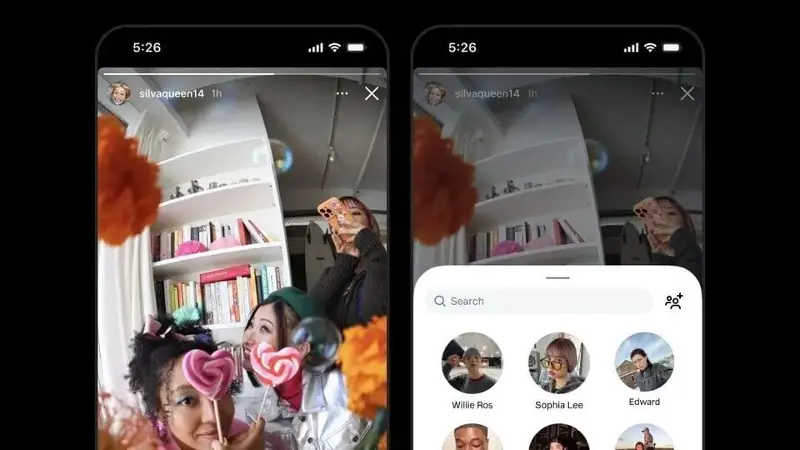
Instagram has added a new feature to the app that allows users to reshare any Story from a public account on their own Story, even if they are not tagged in it. The company confirmed the update via a Threads post and noted that creators can also opt out of the feature by going to their privacy settings.
The feature appears to be aimed at situations where someone may have forgotten to tag others in a picture, reducing friction in the sharing process where the original poster previously had to tag people before they could reshare it on their Stories. Moreover, if you came across a funny or emotional Story from a public account, the only way to reshare it until now was by taking screenshots. With this update, users can reshare the Story directly.
The new feature also resembles the repost Reels feature that the social media giant announced earlier in the year, which allowed users to share public Reels and feed posts directly to their own feeds while automatically crediting the original creator.
How to reshare public Stories?
Open the Instagram app on your preferred device
Tap on a Story from a public account
You should now see a share option adjacent to the message box. Tap on it and select “Add to your story”.
The Story will now appear on your account with attribution automatically shown to the original poster, similar to how Instagram displays Reels.
The update is being rolled out to users globally on both iOS and Android. We can already see the feature live on our Instagram app, and if you haven’t received it yet, it may only be a matter of time before it reaches you.
All public accounts, however, will need to adjust their privacy settings if they do not want their Instagram Stories to be reshared in this manner.
Here’s how you can turn off the feature on your profile
Go to Settings & Activity in the Instagram app
Tap on Privacy and select Story
Toggle off the option that reads “Allow sharing to story”
Once disabled, followers will no longer be able to reshare your Stories.